
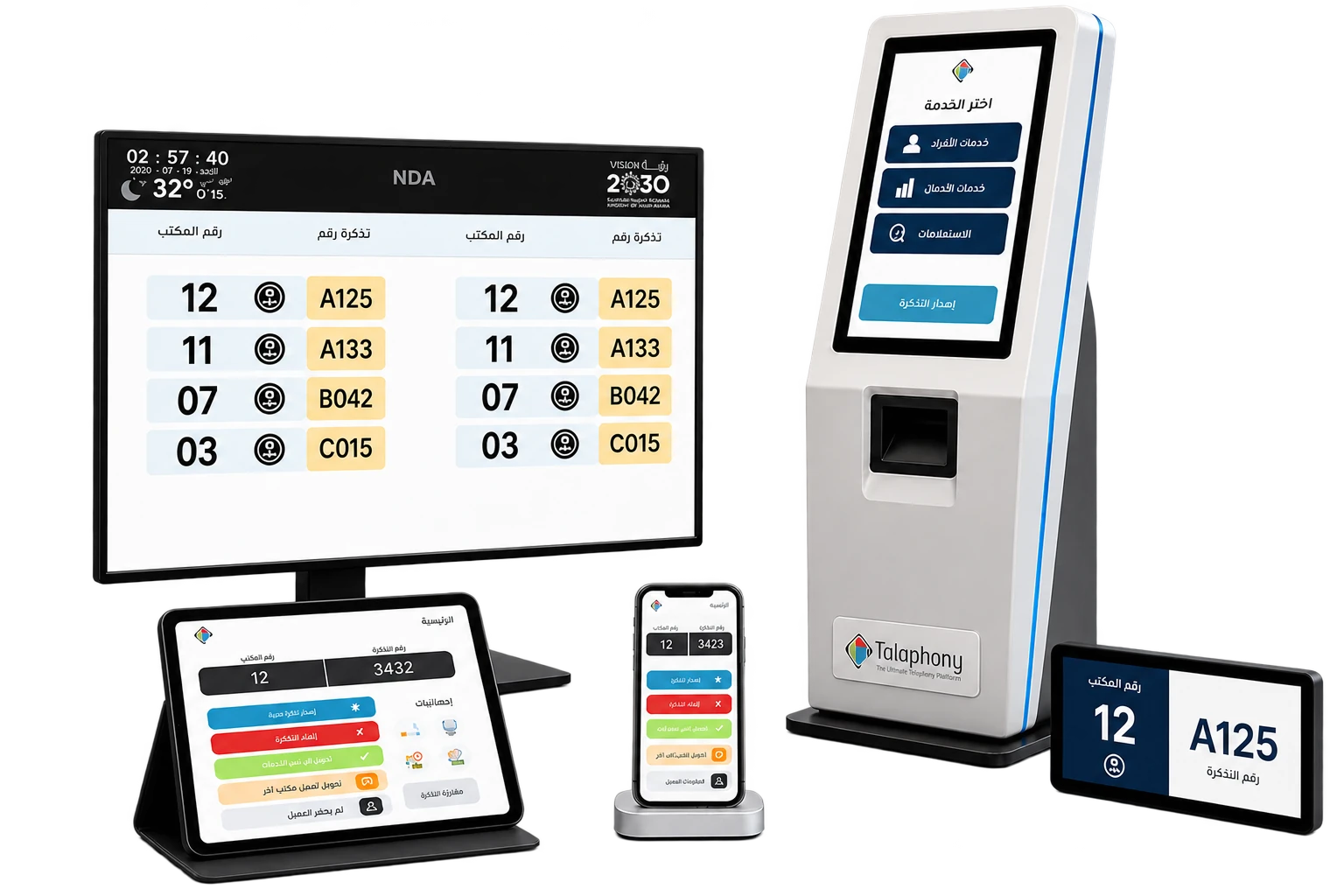
Talaphony® Smart Queue Management
Available

Talaphony® Smart Queue ManagementManage the visitor journey from ticket to service insight

Visitor queue management

A Talaphony® platform for configuring services, tickets, waiting, SIP voice calling, the agent workspace, public displays, prayer-time messages, a scrolling content ticker and operational reporting.

Designed for: Government entities, branches, service centers and reception teams that need a clear, measurable visitor journey.

Talaphony® Smart Queue Management devices with real public-display, kiosk and employee-app interfaces
An everyday example · Smart Queue Management

You have arrived at a service centre. Where do you start?

Illustrative example, not a delivered client case. Steps, connected systems and permissions are defined for each project.

What do you ask?
There are several desks. Which service do I choose, and how will I know it is my turn?

The visitor receives a ticket for the chosen service and waits to be called; staff handle calling, transfer and closure.

What do you get?

A clear ticket and route for visitors, practical controls for staff and waiting-time and service reports.

  1. Choose the service and receive a ticket

    The visitor selects the purpose of the visit, such as document collection or an enquiry. A ticket enters the appropriate queue.

  2. Hear and see the ticket being called

    Staff call the ticket according to order and priority. Its number appears on the display and is announced where the site has been equipped for audio.

  3. Receive service and record the journey

    The employee serves the visitor or transfers the ticket when needed, then closes it. Recorded waiting and service times help managers review operations.

A familiar problem

Visitors move between desks, repeatedly asking where to go and whether it is their turn.

What becomes clearer in your day?

A clear number and announcement help visitors understand their turn while staff focus on service.

Another use

A branch handles enquiries and document collection

The need
Groups of visitors arrive for several different services.
How does the product help?
Issue a ticket in each appropriate service queue. Staff call or transfer it when needed, while managers review demand and waiting times by service and period.
The practical result
Visibility into the busiest service to inform work allocation; the system does not add staff or operating capacity by itself.
Is this the product you need?

When to choose it

Visitor queue management

When on-site visitors need tickets, calling and transfers between services.

Important boundaries

What should not be assumed?

This manages physical visitor queues, not telephone queues. Booking, notifications and digital tickets require project-specific configuration.

Delivery and what we confirm before a demonstration

The product is supplied and configured for your organisation. The proposal identifies included equipment, functions, training and support, and separately quoted items.

Before the demonstration, we confirm what can be shown and what needs preparation for your scenario.

  • A sample or scenario from your work and an agreed acceptance criterion; do not send sensitive data through the contact form.
  • Included functions, licences, devices and integration, and anything quoted separately.
  • Setup, operation and support costs, schedule assumptions and both parties' responsibilities.
How is cost determined?
Product capabilities

Connected capabilities around one operating journey

Branches, services and tickets

Structures branches, services and priorities, then links each issued ticket to the appropriate waiting route.

Waiting and agent workspace

Manages waiting and service-state changes while giving employees tools to call, transfer and close tickets.

SIP voice announcements

Supports voice ticket calling over SIP according to the site and audio setup.

Branded UI and public displays

Configures system interfaces and public displays around the entity’s visual identity, integrating its logo and colors in a balanced, attractive way while preserving usability, alongside prayer-time messages and an approved scrolling ticker.

Integration and digital journey

Can be configured for entity systems, notification channels, pre-booking and digital tickets within the project scope.

Operational reporting

Reports demand, waiting and service performance by branch and service from recorded data.

One configurable journey

The system does more than issue a number

Talaphony® Smart Queue Management connects the service, ticket, waiting, calling, agent workspace and public display, then turns every stage into operational data.

01

Select the service

Define branch, service and the appropriate route.

02

Ticket and wait

A clear number, status and visible order.

03

Call and guide

Public display and SIP voice announcement.

04

Deliver the service

Agent workspace for transfer and closure.

05

Measure and improve

Reports reveal demand, waiting and service.

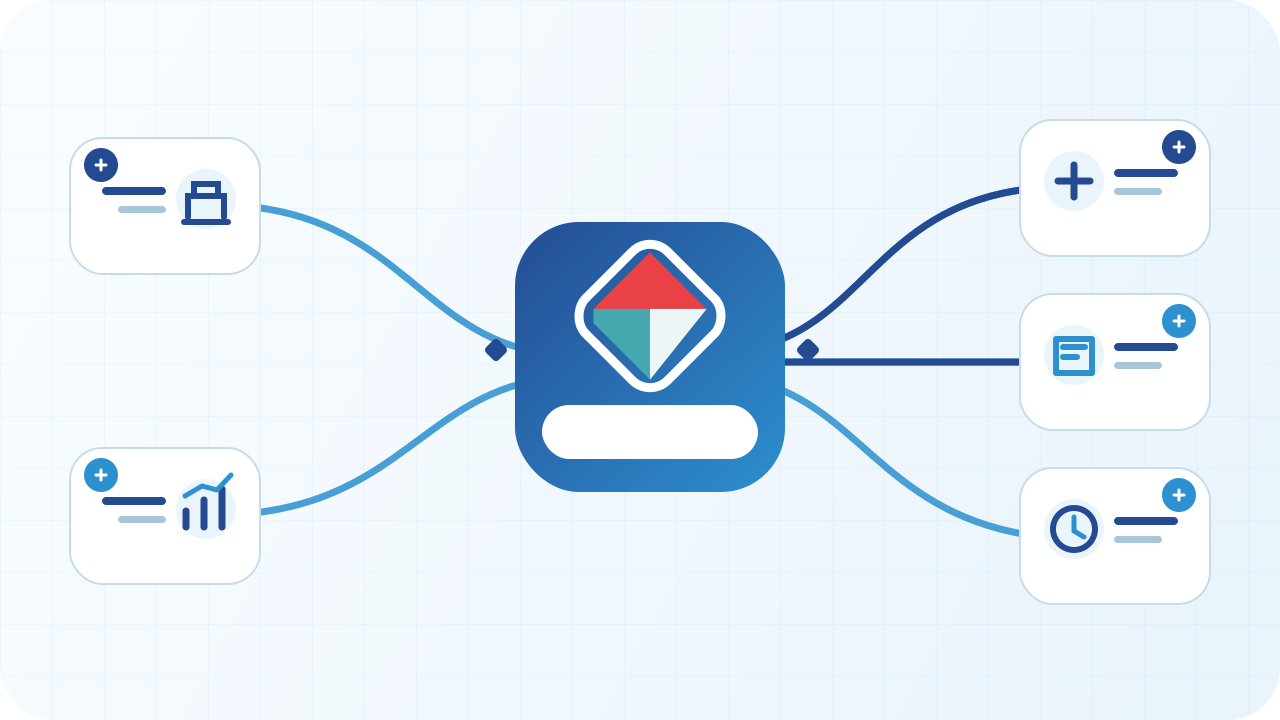
An operating journey connecting service selection, ticketing, waiting, calling, agent service and reporting
An original visual showing the stages that can be configured around the entity.
From platform to operating environment

Ready operating capabilities and an extensible scope

Channels, integrations and the public experience can be configured around the entity instead of a rigid template.

Within the platform

Branch and display operations

  • Services, tickets, waiting and transfer
  • Agent workspace and public call displays
  • SIP voice announcements
  • Prayer-time messages and scrolling ticker
  • Operational reporting by service and branch
Configured by project

Extended journey and integration

  • Pre-booking, digital tickets and QR
  • SMS, WhatsApp and notification channels
  • Integration with existing records and systems
  • Post-service feedback and advanced dashboards
  • Visual identity, languages and priority rules
Frequently asked questions

What operating teams need to know

Does it support SIP voice calling?

Yes. Ticket calls can be announced over SIP and connected to suitable site audio equipment.

Can the display show prayer-time messages?

Yes. Scheduled messages and operating pauses can be configured around prayer times and the entity’s policy.

Can the screen carry approved announcements?

Yes. A scrolling ticker at the bottom of the display can carry approved guidance, alerts and advertising content.

Can it integrate with entity systems?

Yes. Required systems and channels can be integrated within the project scope and available interfaces.

How to start

How to start

We validate the operating context, scope and dependencies before recommending the configuration.

  1. 01Describe the need and users
  2. 02Review systems and data
  3. 03Define scope and acceptance
  4. 04Agree deployment and support
After the scope is approved

After the scope is approved

The product moves through a governed delivery journey, not a software licence alone.

  1. 01Configuration
  2. 02Integration and validation
  3. 03Acceptance testing
  4. 04Training and go-live
  5. 05Support and improvement

Integration and security

Interfaces, access, retention, environment and responsibilities are documented within the agreed scope.

Trust & procurement center
A clear first step

Evaluate Talaphony® Smart Queue Management in your environment

Share the need, users and relevant systems. We will recommend a demo, scoped project or solution path according to the product and context.